 WebAble
Adjustable text size
Scale text up from 80% to 200% so you never have to squint at a tiny font again.
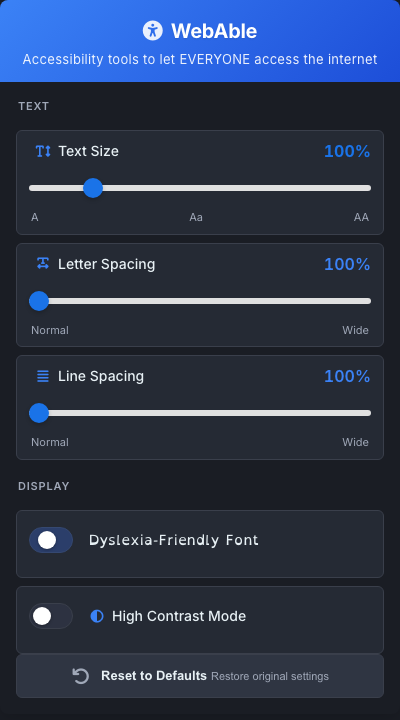
Resize text, switch to a dyslexia-friendly font, open up spacing, and turn on high contrast — on any page, instantly.
of the U.S. population has a learning disability.
of the top one million web pages meet basic accessibility standards.
Most accessibility tools fix one thing. WebAble brings the essentials together in one simple popup.
Scale text up from 80% to 200% so you never have to squint at a tiny font again.
Switch any page to OpenDyslexic, a typeface designed to make letters easier to tell apart.
Open up the space between letters and lines to reduce crowding and keep your place.
Force crisp light-on-dark text to cut glare and sharpen low-contrast pages.
Every change shows up on the page as you make it — drag a slider and watch it update live.
Your preferences are saved locally with Chrome storage. Nothing is sent anywhere.
No setup, no sign-up. Install it and start adjusting.
Install WebAble from the Chrome Web Store with one click.
Click the WebAble icon in your toolbar to open the controls.
Move the sliders and flip the toggles — the page updates as you go.
Free, private, and works on any site — your settings never leave your device. Add WebAble to Chrome in one click.